
Sales and customer-service teams
Classify leads, route work, prepare follow-ups, summarize information or trigger alerts across repeatable digital processes.
We start from the workflow your team actually performs, then define triggers, business rules, AI steps, human approvals, notifications and outputs. The goal is to reduce repetitive manual work without treating AI as an automatic decision-maker for every situation.

AI automation should not start from a tool. It starts from process, data, ownership and acceptable risk, then chooses rules, AI, APIs, webhooks or human review according to the job.
Classify leads, route work, prepare follow-ups, summarize information or trigger alerts across repeatable digital processes.
Move briefs, drafts, approvals, queues and status updates across systems while keeping publication and brand decisions under human control.
Collect status, build recurring summaries, trigger reminders or move data between systems on a daily or weekly cycle.
A production-ready workflow separates fixed rules from interpretation, defines where people must approve and explains what happens when an API, source system or AI service fails.
Normalize and validate data from forms, spreadsheets, CRM, LINE OA or other supported sources before routing it.
Use APIs, webhooks or other supported integration methods when available instead of expanding access unnecessarily.
Separate prompts, business rules, reference data and escalation criteria so the team knows what is controlled and what needs review.
Add logs, alerts, retry rules and a fallback owner so work can be resumed manually.
Review the current process, exception cases and human approval points before deciding which parts should use rules, integrations or AI.
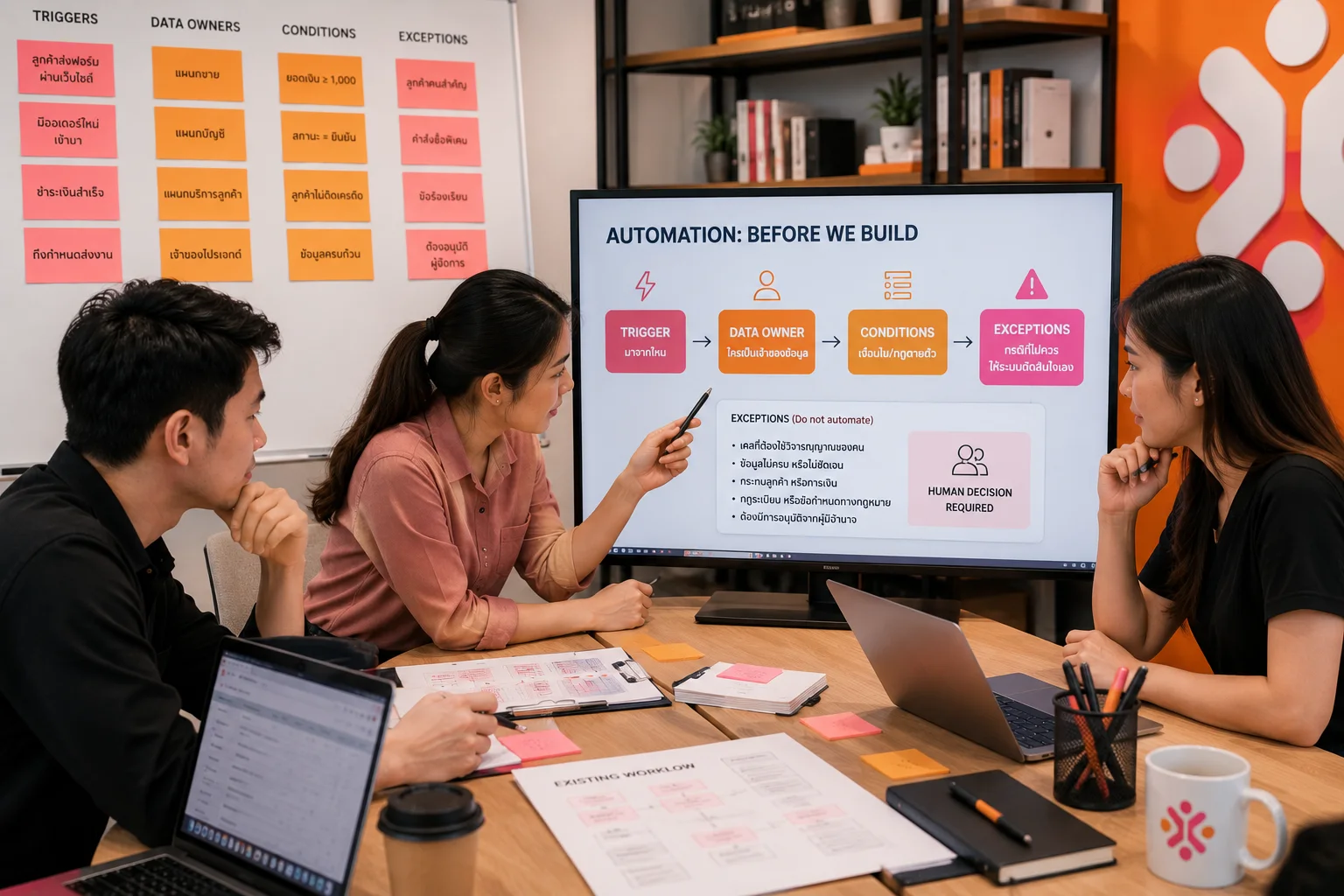
Identify where triggers come from, who owns the data, which conditions are fixed rules and which cases should not be decided automatically.
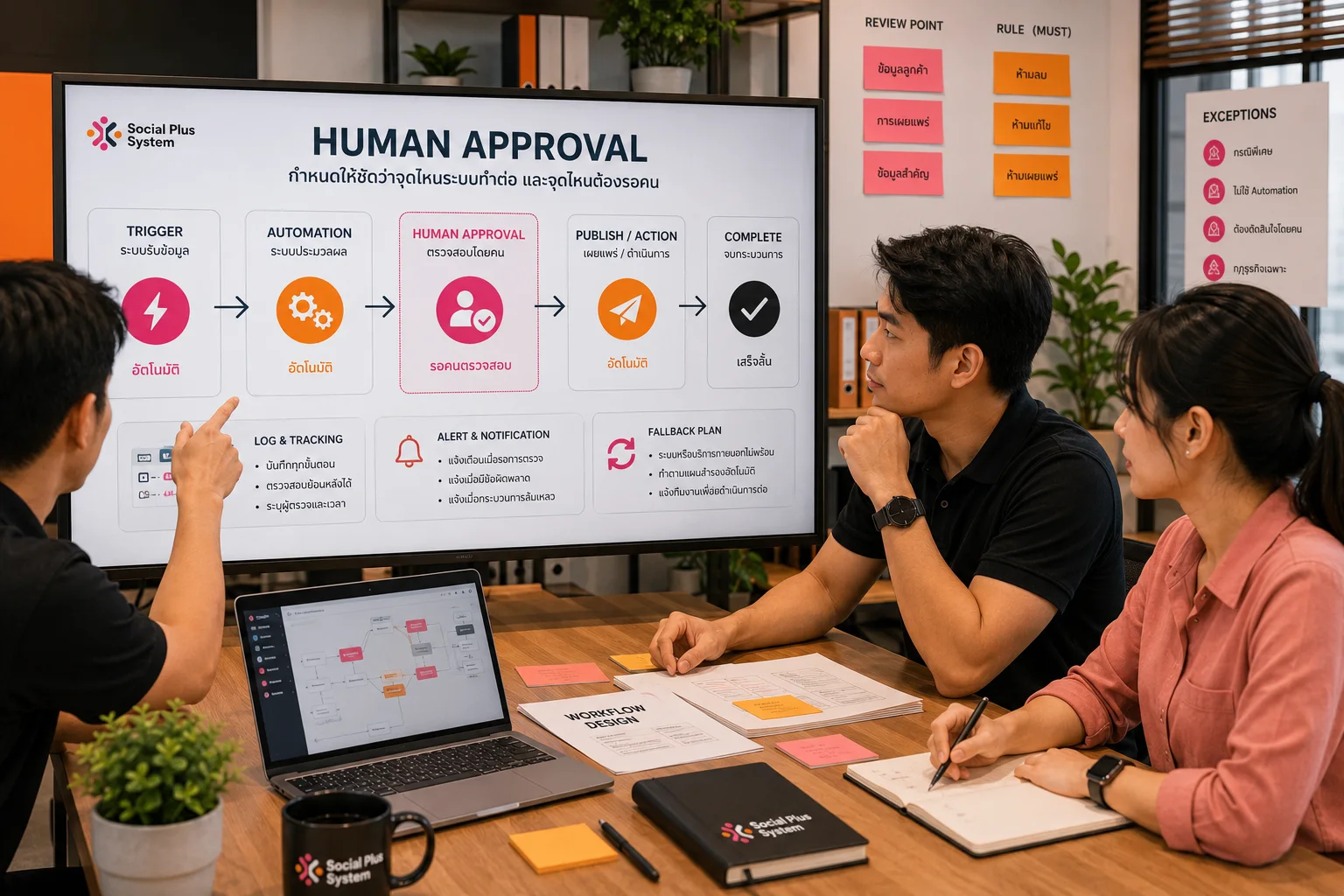
Customer-facing, publishing or important-data actions should have a responsible reviewer, logs, alerts and fallback paths when an external service is unavailable.
Images illustrate workflow review and AI Automation context. They are not client case studies or evidence of project results.
Exact outputs depend on systems, access, data readiness and risk, but the team should always understand what the workflow does, who owns it and how people take over when needed.
Document triggers, inputs, decisions, approvals, outputs and responsible owners before building.
Define rules, field mapping, system boundaries and integration constraints.
Implement a bounded version that can be tested with realistic data and exceptions before scaling.
Keep review checkpoints for customer impact, publishing, sensitive data or consequential decisions.
Record status, errors, retries, notifications and manual takeover paths.
Document operation, permissions, configurable points and maintenance responsibilities within scope.
A business receives leads from a connected form, then manually copies data into a sheet, assigns an owner and tracks follow-up. A workflow can automate the repeatable routing while sending ambiguous cases to a person.
Check required fields and use business rules or bounded AI interpretation where appropriate.
Escalate unclear or sensitive cases instead of making an irreversible automatic decision.
Create or update the next record and notify the responsible person.
Record the workflow result and trigger the agreed follow-up or exception alert.
This example explains workflow design only. Feasibility depends on the actual systems, permissions, APIs, data and business rules.
The safest starting point is a process with repeated inputs, predictable outputs and a clear owner. We assess system access, data quality and exception handling before deciding whether AI is even necessary.
Map the current process, data, owners, repetitive tasks, exception cases and risks before selecting tools.
Best first step when the workflow is still unclearBuild one bounded automation with defined inputs, outputs, logs and human checkpoints.
Best for proving value before expansionExtend a proven flow across supported APIs, notifications, data stores or other systems.
Quoted after technical access is confirmedPricing depends on workflow count, systems, API access, data volume, business rules, approval points, security requirements and post-launch support. We do not start implementation before scope and access constraints are confirmed.
Rules, APIs and human review can be more appropriate than a model. We choose the mechanism according to the workflow rather than forcing AI into every step.
Use deterministic rules for validation, status changes, routing and other predictable logic.
More reliable than AI when the decision can be written clearly.Use AI where text or unstructured input needs classification, summarization or drafting within defined constraints.
Keep validation and escalation rules around the model.Route sensitive, ambiguous or consequential actions to a person before publishing, contacting customers or changing important data.
Human control is a design feature, not a fallback after failure.The workflow needs an owner, exception path and maintainable handover — not only a successful demo.
Map the current steps, inputs, outputs, owners, delays and measurable problem.
Choose which steps remain manual, which use rules and which can use AI or integration.
Implement a bounded workflow and test normal, missing-data and failure cases.
Document ownership, monitoring, permissions, alerts and the path for human intervention.
These answers focus on feasibility, access, human control and failure handling before systems are connected.
No. Some processes change too often, lack clean inputs or contain decisions that should remain human. We first identify a repeatable workflow with clear ownership.
Often, but not always. Feasibility depends on how the source and destination systems expose data and what permissions are available.
Yes. Many workflows are safer and cheaper with deterministic rules, alerts and integrations rather than a model.
Yes. That is why validation, escalation and human approval are designed into higher-risk steps.
Potentially, when the relevant account, API capability, policy and workflow support the required action. We confirm feasibility before promising a specific integration.
No. A good first step is usually to connect or improve one workflow around the systems already in use.
The workflow should define retries, alerts, logs and a manual fallback so the team knows where work stopped and how to continue.
Send the current steps, systems and example inputs/outputs. We will help separate what should use rules, what may benefit from AI, where people should approve and which pilot is practical to start with.